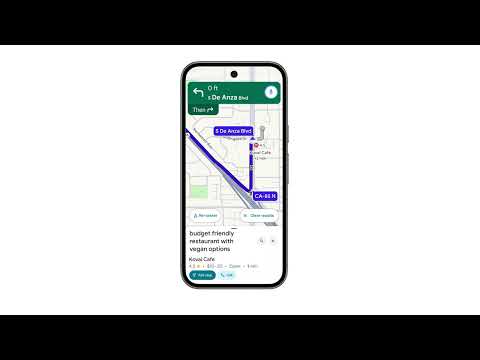
Early this month, we heard about Google rolling out Gemini coming to Google Maps to give users a hands-free, conversational driving experience. It should ideally replace the popular assistant feature and let users entirely have their eyes on the road while Gemini is there to get things done. Google Maps Gemini navigation rollout seems to be finally taking place, reports 9to5Google .
Gemini replaces Google Assistant for seamless driving experience
The primary change that a Google Maps user would notice is the spark Gemini icon replacing the popular voice assistant (four-colored microphone) icon on the top right corner during navigation. As mentioned, it is replacing the Google Assistant entirely and can be used in all kinds of navigation forms.

Gemini activates by clicking on the new spark icon during navigation. Additionally, the search giant has come with a support page indicating it also works by users saying “Hey Google” hot word. The same support page has further provided examples of the voice commands, which work with the new Gemini integration for giving users a hands-free experience.
It is encouraging to see Google keeping up to its promise in terms of rollout. The search giant earlier promised that users would see the Gemini rollout to maps in the coming weeks.
New features and integrations to enhance user convenience
Here are some of the examples that users can rely on while navigating by asking Gemini:
- “Navigate home”
- “Stop navigating”
- “Show alternative routes”
For getting more information along the way or the route they are navigating to, Gemini can give answers for questions like:
- “What’s my next turn?”
- “What’s the weather like at my destination?”
- “What’s my next stop?”
Moreover, users will also be able to report incidents about their route by simply saying the following things to Gemini:
- “There’s traffic on the road.”
- “There’s construction up ahead.”
- “There’s a car breakdown that’s causing congestion.”
Searching and getting information about places en route should also likely be hassle-free. Users will be able to search for places in a conversational way by saying “Find me a café near my destination that serves tiramisu.” They can further refine these search results and also add stops.
Not just asking for places, but they can ask for information about those places/restaurants too. Like asking “What’s the most popular dish on the menu?” Or “ When does {Place Name} close?”
More importantly, Gemini can also integrate with other apps like Gmail and Calendar. It can summarize emails and create events in Calendar — all while navigating. Lastly, users can also ask simple things like “Call Mom” and “Play music with Spotify.”